
Reservations & Appointments
The Reservations module lets you schedule appointments and reserve tables depending on your business type. Available for Restaurant and Salon modes.
Reservations in Restaurant Mode
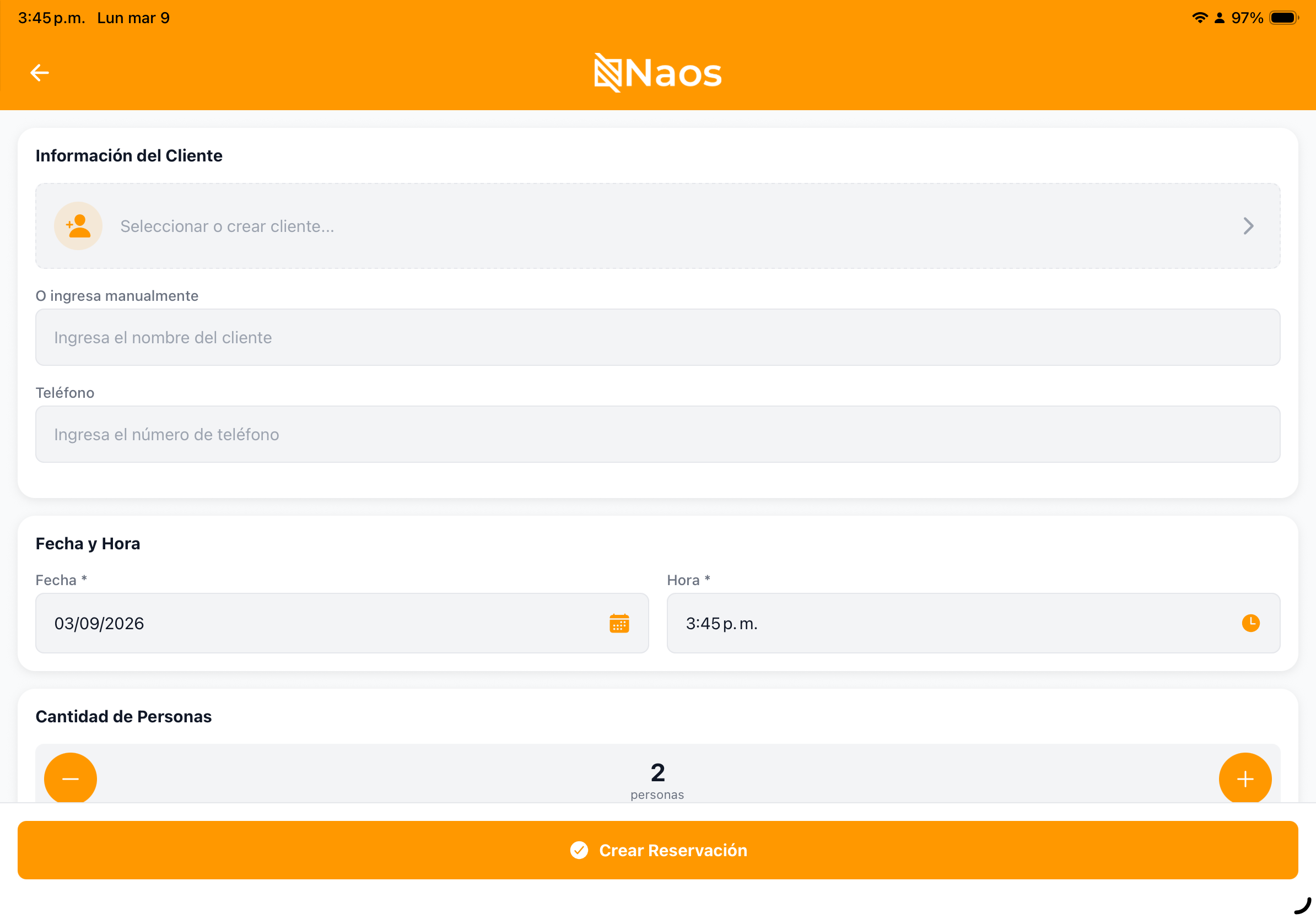
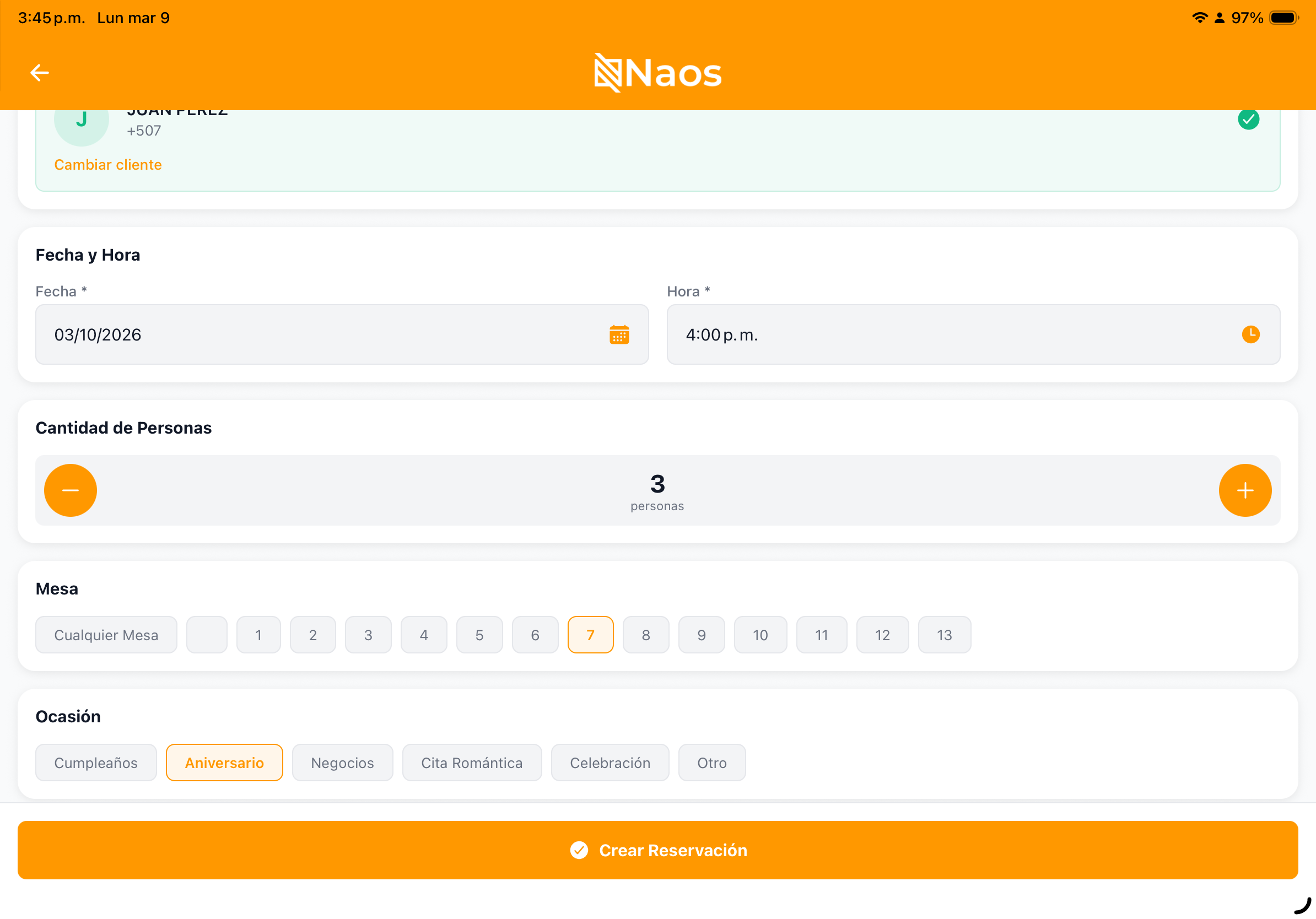
Creating a Reservation
- Go to Reservations in the side menu.
- Press “New Reservation”.
- Fill in:
- Date and time of the reservation.
- Number of guests.
- Customer (search existing or create new).
- Additional notes (e.g., “birthday”, “high chair needed”).
- Confirm the reservation.

Reservation Views
Switch between three views:
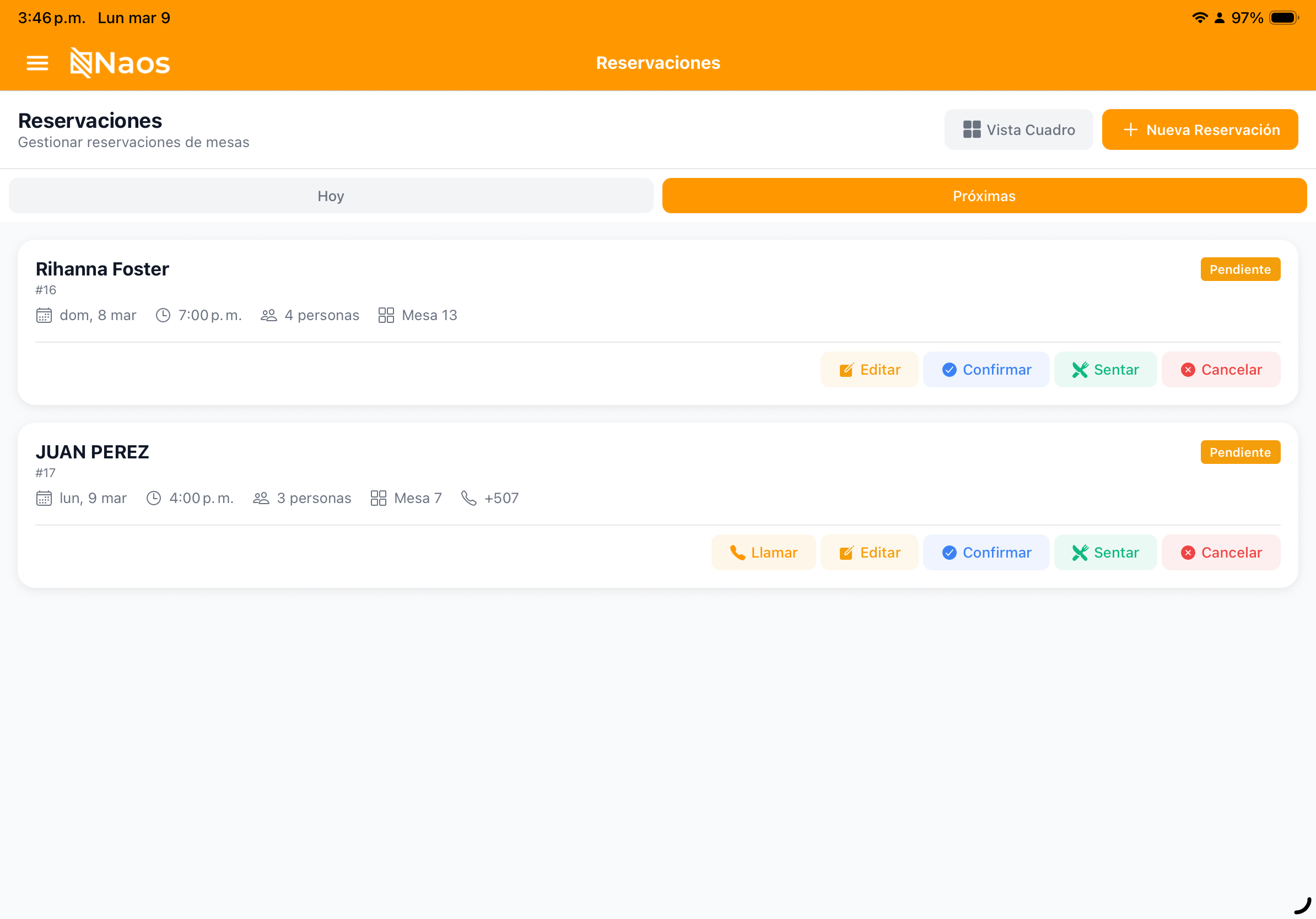
- Today: Today’s reservations.
- Upcoming: Future pending reservations.
- Calendar: Monthly view with daily indicators.
Appointments in Salon Mode
In salon mode, reservations work as service appointments:
Creating an Appointment
- Go to Reservations.
- Select the date.
- On the time grid (10:00 AM - 10:00 PM), tap the desired slot.
- Fill in:
- Service to be performed.
- Assigned staff member.
- Customer.
- Duration (automatically calculated per service).
- Required deposit (if applicable).
- Confirm the appointment.
Schedule Grid
The calendar view displays:
- Columns for each staff member.
- Rows for each time block.
- Color-coded appointments by status.
- Real-time availability.
Reservation Statuses
| Status | Description | Color |
|---|---|---|
| Pending | Reservation created, not yet confirmed | Yellow |
| Confirmed | Customer confirmed attendance | Blue |
| Seated | Customer arrived and was seated (restaurant) | Green |
| Completed | Service finished | Gray |
| Cancelled | Reservation cancelled | Red |
| No Show | Customer did not show up | Orange |
Changing Status
- Tap the reservation to open its details.
- Select the new status.
- For “Seated” in restaurant mode, the table is assigned automatically.
Reservations on the Mobile App
The POS app includes the reservations screen with the same features:
- Time grid view.
- Quick creation of appointments/reservations.
- One-tap status changes.
- Integrated customer search.
Notifications
The system can send automatic reminders:
- Confirmation when the reservation is created.
- Reminder before the appointment.
- Cancellation notification.
Running a restaurant? See Tables & Split Bill Using Salon mode? See the Salon Guide